Minecraft Bedrock  ·  Free Forever

All your Bedrock addons,
worlds, and skins.
In one place.

Install packs in one click, browse the marketplace, back up worlds to your own cloud, and edit skins without touching game folders.

Download for Windows — Free

v2.0.2  ·  Windows 10 / 11  ·  x64 & ARM64  ·  No account needed
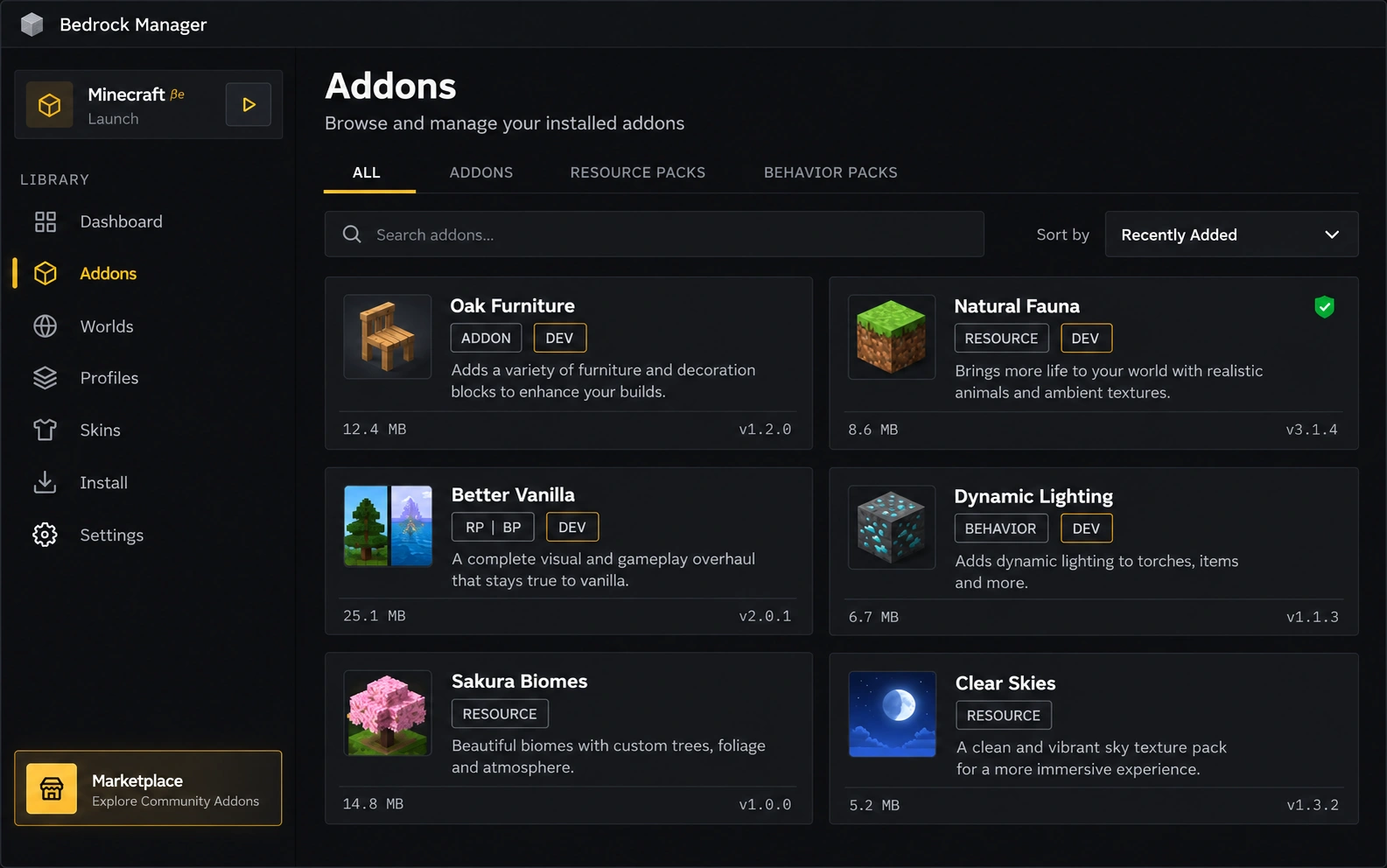
Bedrock Manager library showing installed addons with search, tabs and pack cards
Getting Started

Playing in three steps

No config files. No digging through game folders.

  1. Download

    One installer for Windows 10 & 11, x64 and ARM64.

  2. Drop in your files

    Sorted automatically.

    .mcpack.mcaddon.mcworld

  3. Toggle & play

    Switch packs on or off per world, then launch the game.

What it does

Everything around your game, handled

A complete toolkit for your addons, worlds, cloud backups, and community creations.

01 — LIBRARY

See everything you own

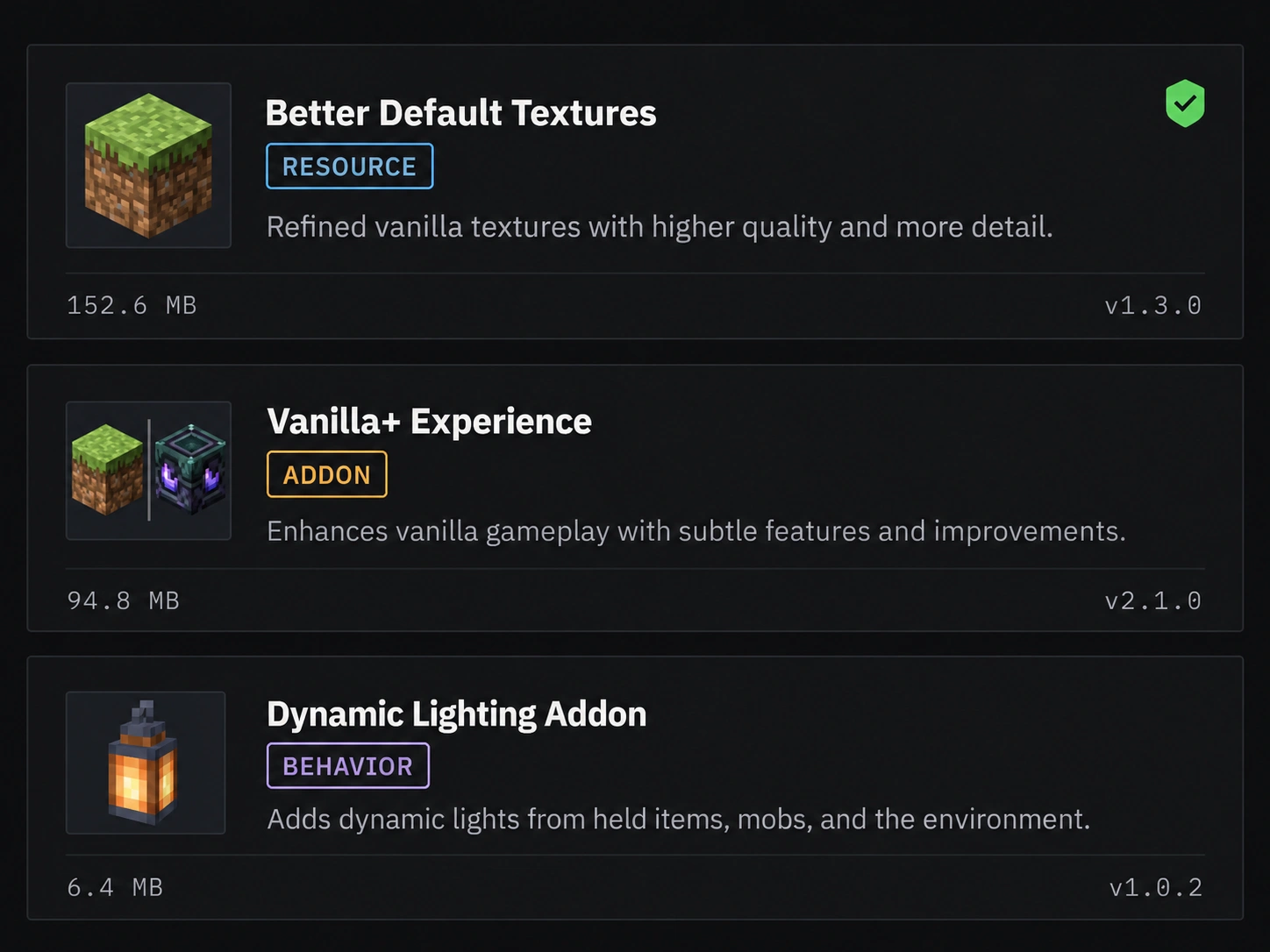
Every addon, world, skin and texture on your device, finally in one searchable list instead of scattered across folders.

  • Toggle packs on or off per world
  • Spot available updates at a glance
  • Resource + behavior pairs stay linked
  • Resource packs
  • Behavior packs
  • Worlds
  • Skins
Addon list showing resource, behavior and paired packs with versions
The library — type badges, versions and sizes at a glance.

02 — BACKUP

Your worlds, backed up by you

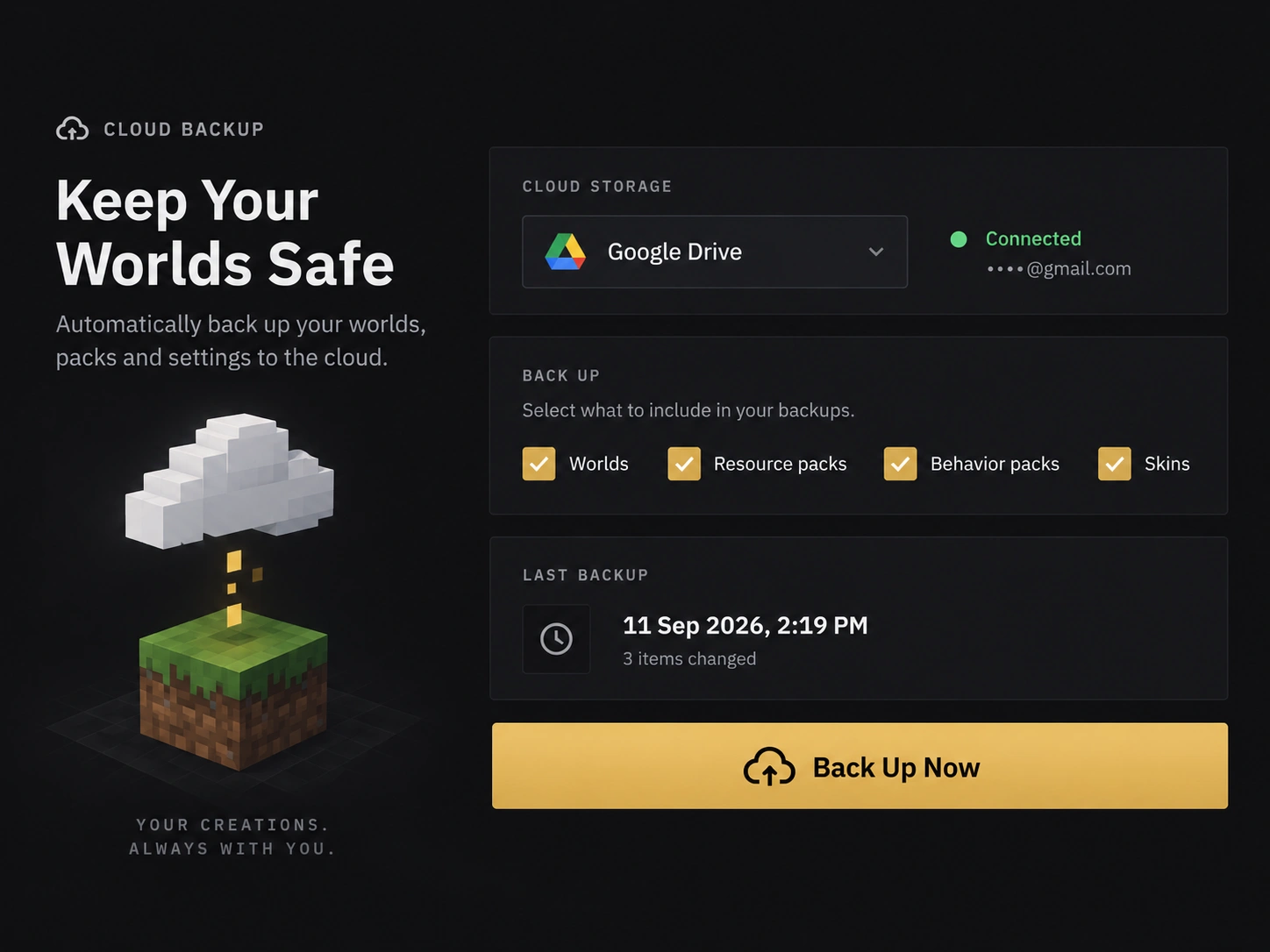
Automatic backups go to your own Google Drive, not our servers. Your saves survive reinstalls, new PCs and accidents.

  • Worlds, packs and skins included
  • Scheduled or one-click manual snapshots
  • Restore anything in one click
  • Google Drive
  • Scheduled
  • One-click restore
Cloud backup panel with storage provider, backup stats and recent snapshots
Backup center — provider, contents and snapshot history.

03 — MARKETPLACE

19,000+ community projects, inside the app

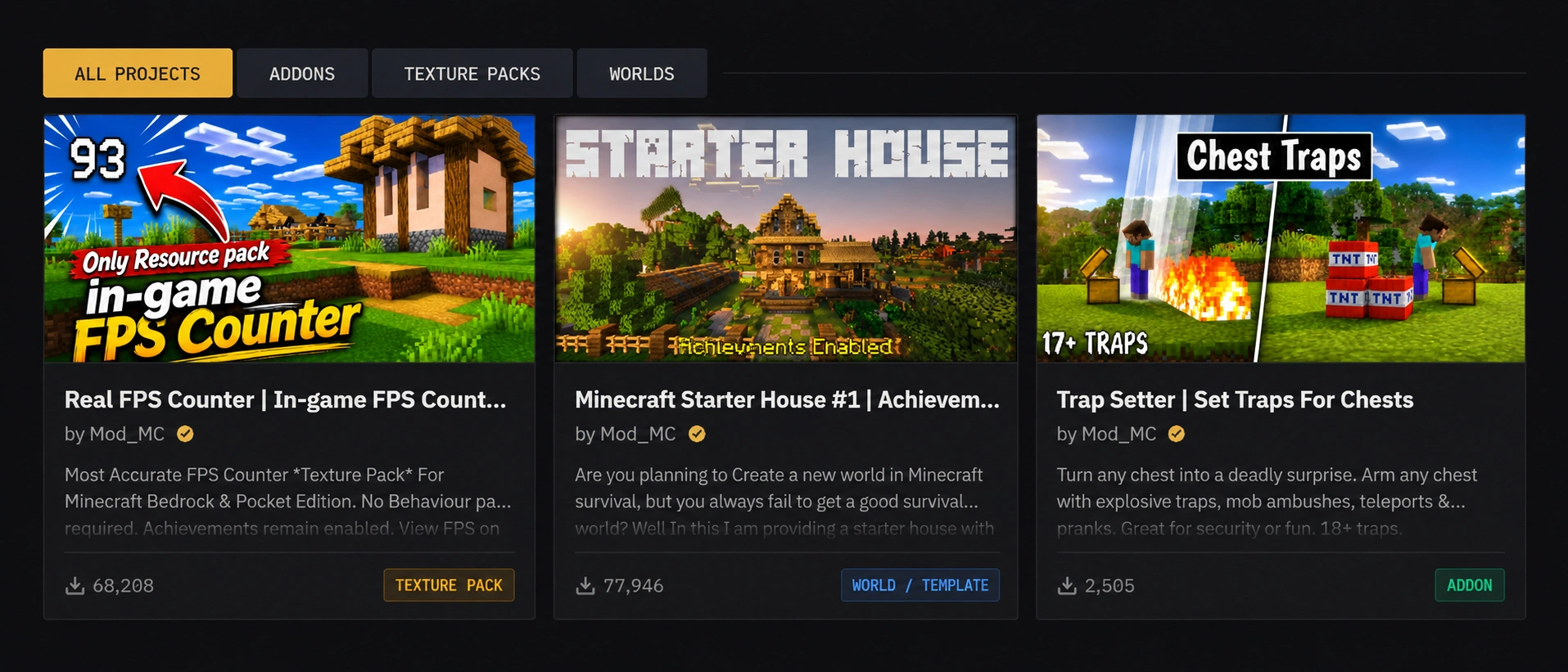
Browse and discover CurseForge creations from verified makers directly in the app, with quick links to download while supporting original creators.

  • Addons, texture packs, worlds, and skin packs
  • Verified creators clearly marked
  • Direct links to support original authors
  • 19,000+ projects
  • CurseForge
  • Verified makers
Marketplace grid with community worlds and packs
The marketplace: community worlds, textures, skins and addons.

04 — SKIN EDITOR

Paint in 2D or directly in 3D

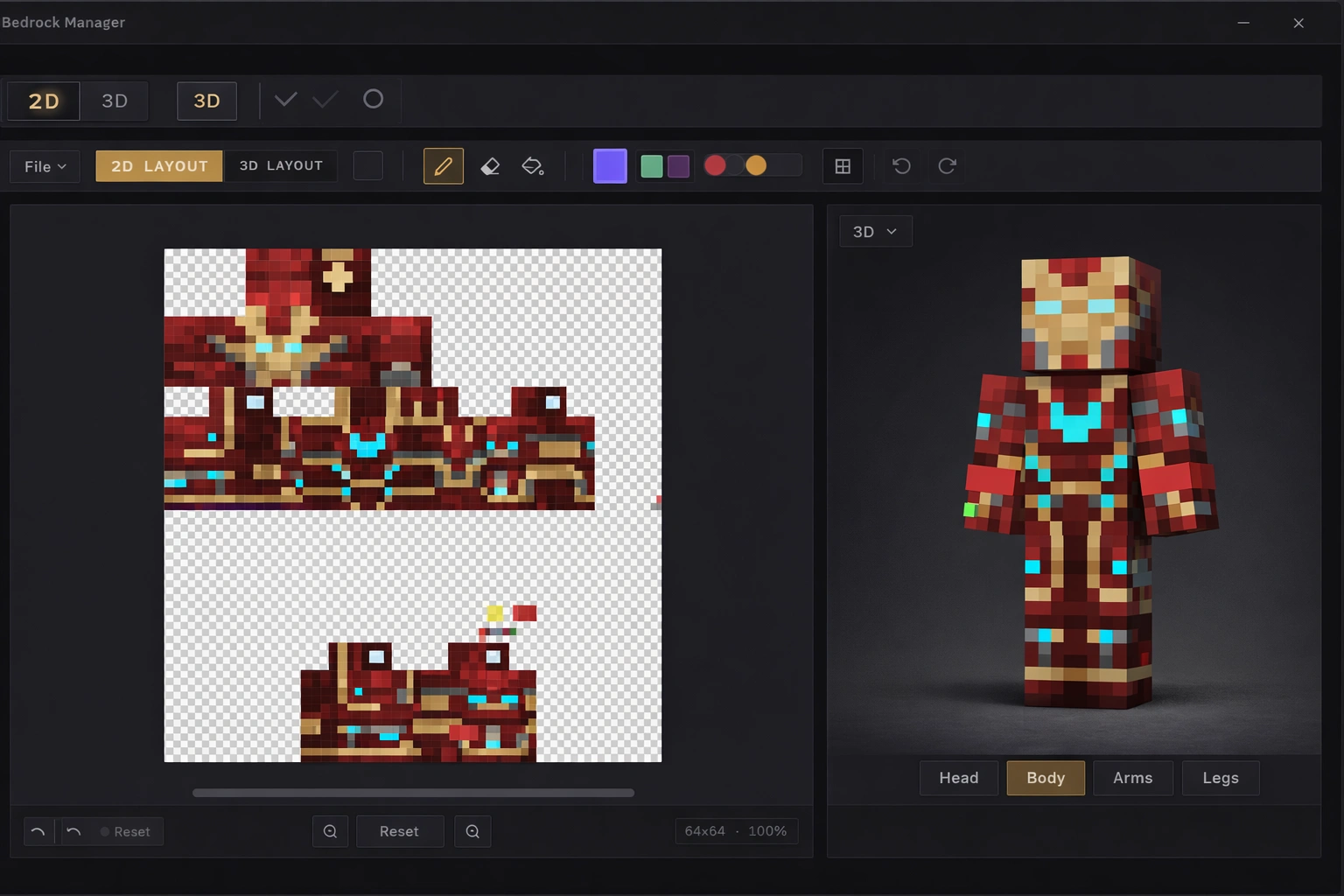
Paint on the flat 2D texture or draw directly on the 3D character, with live synchronization across both views. Includes layers, grid controls, color tools, and instant export to your skin packs.

  • Dual 2D pixel canvas and direct 3D painting
  • Real time synchronization across both views
  • Layers, precision tools, and instant skin pack export
  • 2D & 3D painting
  • Real time sync
  • Layers
  • Pencil, fill, picker
Skin editor with 2D pixel canvas and live 3D preview
The skin editor: 2D texture canvas and interactive 3D character view.

Latest release

v2.0.2 · Oct 12, 2026

  • changedRefined input and form field focus styling in the Bedrock theme to eliminate double outline rings.
  • fixedFixed Settings navigation tabs becoming unreachable on compact window sizes or higher interface scales by displaying a scrollbar when tabs overflow.
  • fixedFixed addon installation failing for packs specifying the floating "beta" version in script-module dependencies.
  • fixedFixed addon installation rejecting packs with stray closing braces in their manifest JSON.
Questions & Answers

Frequently Asked Questions

Everything you need to know before you download.

Is Bedrock Manager free?

Yes, completely free. There's no paywall, subscription, or premium tier. Every feature is available to everyone, forever.

Is it safe to install?

Bedrock Manager runs entirely on your PC and is built for the community. It only touches the packs and worlds you choose to manage, and never modifies your Minecraft account.

Which versions of Windows are supported?

Windows 10 and 11, on both x64 and ARM64 hardware. Pick the matching installer from the download section.

Does it work with the Microsoft Store version of Minecraft?

Yes. Bedrock Manager works with Minecraft Bedrock Edition installed from the Microsoft Store on Windows.

How do I add addons?

Drag and drop your .mcpack, .mcaddon, or .mcworld files straight into the window. Bedrock Manager sorts them into the right place and lets you toggle them on or off.

Will I lose my worlds if something goes wrong?

No. You can back up worlds and packs to Google Drive and restore them anytime, so your builds stay safe across reinstalls and devices.

Is this an official Minecraft or Mojang product?

No. Bedrock Manager is an independent tool. It isn't approved by or associated with Mojang or Microsoft.

Still stuck? Ask on Discord →

Community

Stuck? Come ask a human.

Show off your setup, report a bug, or request a feature — the workshop door is open.

v2.0.2 · Free for Windows

Get Bedrock Manager

Free for Windows 10 & 11. Install your first addon in under a minute.

Free forever  ·  No account needed  ·  Your backups live on your own drive

See what's new in v2.0.2 →